Your Phone Is Now a PC: How Android 16's Desktop Mode Makes the One-Device Future Real
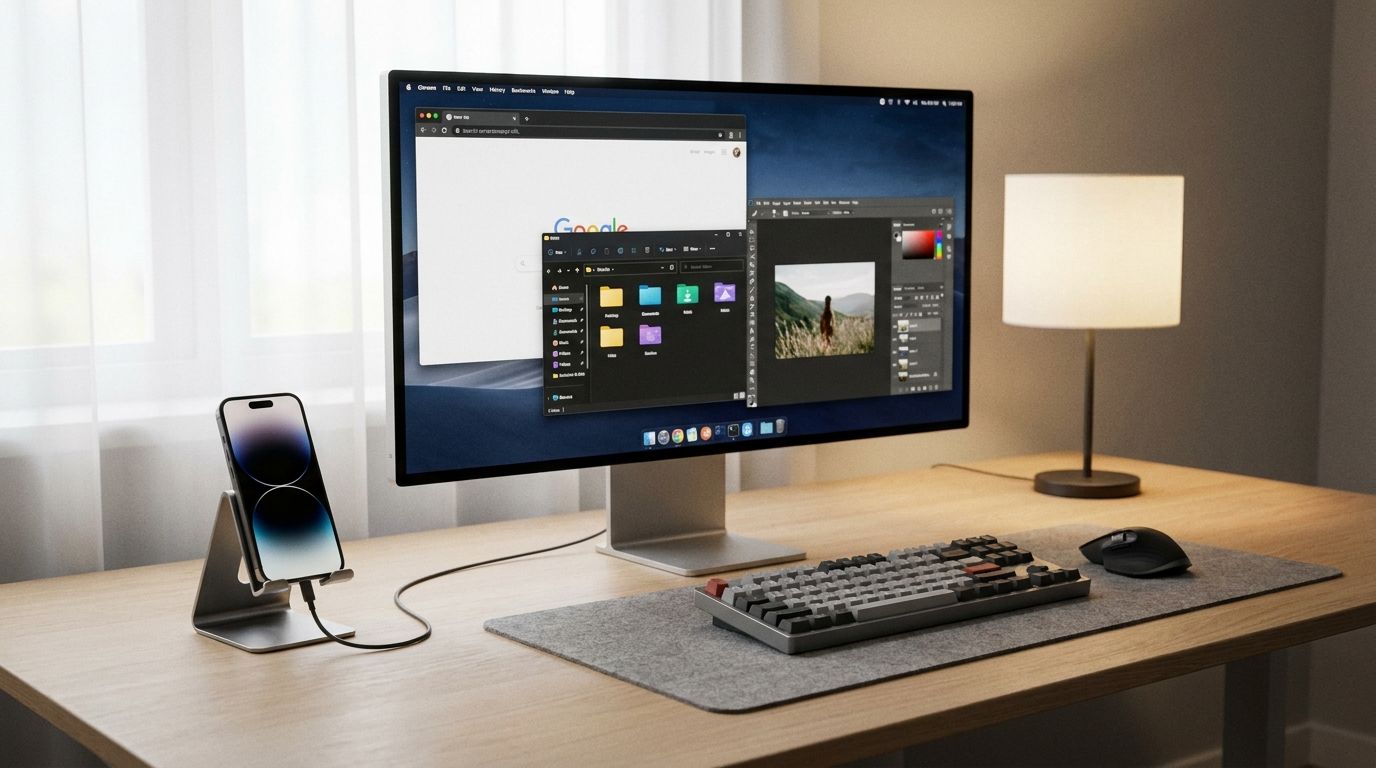
The idea has been tried before and failed before. In 2015, Microsoft launched Continuum for Windows Phone, a feature that docked your handset into a monitor and keyboard to produce a desktop-like experience. The hardware was underpowered, the app ecosystem was negligible, and the product died with the platform that carried it. The lesson most observers took from Continuum was that phone-as-PC was a category that sounded compelling in a press release and collapsed under real-world use.
That lesson is now outdated. Android 16 QPR3 introduced native desktop mode — a fully freeform windowing environment that activates when you connect a Pixel 8 or newer to an external display via USB-C. Samsung has been running DeX, its own version of the same idea, for nine years. In 2026, the two approaches have converged into a coherent ecosystem, backed by hardware that was simply not available in 2015.
What Android 16 desktop mode actually does
Connect a supported phone to a display via a USB-C hub and the phone outputs a familiar desktop environment: a taskbar, a windowed application launcher, freeform windows you can resize and stack, and an independent screen that runs while the phone's own display continues operating normally. You can take a call on the phone while an app runs in a window on the monitor. The phone is not emulating a desktop — it is running one, while remaining a phone.
Up to 20 or more apps can run simultaneously across multiple desktop spaces. Wireless output via Miracast is supported on the latest Pixel and Galaxy hardware, eliminating the cable requirement for setups where the display has wireless capabilities. External keyboards, mice, and Ethernet all work through standard USB-C hubs without special drivers.
The hardware requirements are strict enough to matter: DisplayPort Alt Mode over USB-C is required, which excludes a significant portion of the Android handset market and all Pixel A-series devices. On the recommended side: Pixel 8 and above, Galaxy S26, Galaxy Z Fold 7, and Galaxy Tab S11. If you have a flagship from 2023 or later, you likely qualify.
Samsung DeX in 2026: maturity shows
Where Android 16's native desktop mode is clean and straightforward, Samsung DeX has accumulated nine years of refinement that shows in the details. The 2026 version, rebuilt in partnership with Google, supports four independent desktop spaces, each running up to five apps — a total of 20-plus concurrent applications across a logical workspace layout. Monitor arrangement is configurable. Wireless DeX works on the S26, Fold 7, and Tab Active5 Pro without a USB connection.
The competitive difference between Samsung's implementation and Google's native mode is mostly one of depth. DeX has more configuration options, more integration with Samsung's own software ecosystem, and a longer history with enterprise IT departments that have been deploying it in field and healthcare settings since 2017. Android 16 desktop mode has broader hardware compatibility and a cleaner default experience. For most users starting fresh, the native mode is sufficient. For enterprises with existing DeX deployments, there is no reason to change anything.
The app problem, mostly solved
The objection that has followed every phone-as-PC proposal is the same: apps designed for a five-inch screen do not work on a 27-inch monitor. This was genuinely true in 2019. In 2026, it is partially true and getting less true.
Android's Jetpack WindowManager 1.5.0 introduced four window size classes — compact, medium, large, and extra-large — and most apps built in the last two years are written to the adaptive design guidelines that use these classes to reformat layouts for larger screens. Apps that were built before the guidelines exist are handled by automatic scaling that adjusts padding, text size, and layout attributes based on pixel density. The result is not always perfect, but it is generally usable.
The remaining rough edges tend to show up in specific categories: apps with rigid portrait-only layouts, games with fixed aspect ratios, and legacy enterprise tools that predate responsive design thinking on Android. Android 17 beta brings further improvements including enhanced desktop picture-in-picture and better widget scaling. The trajectory is clearly toward full compatibility; the timeline is a few more annual releases.
Google's broader bet: Googlebook and Aluminium OS
At the Android Show at Google I/O 2026, Google announced Googlebook — a new device category that combines laptop form factors with the Android 3-million-app ecosystem, powered by a new desktop platform called Aluminium OS. Partners include Acer, Asus, Dell, HP, and Lenovo. Googlebook is not the same as desktop mode on a phone, but it is the same underlying thesis: one ecosystem, multiple form factors, the same apps everywhere.
The phone-as-PC use case fits within this broader strategy as the most portable variant. You carry one device, and its capability expands or contracts depending on what you plug it into. For a digital nomad or field worker who needs a laptop setup twice a week and a phone the rest of the time, this is a meaningful economic and ergonomic simplification.
Where mainstream adoption actually stands
Phone-as-PC is real, it works, and a growing subset of power users — developers testing Samsung DeX as a dev machine, remote workers using desktop mode as a travel setup, field technicians running productivity apps on a monitor at the job site — are adopting it with genuine enthusiasm. The market for the convergence category is forecast at over $30 billion by 2026.
Mainstream adoption, meaning most people replacing a laptop with their phone, is not here yet. The app compatibility gaps that remain, the cable management requirement for most setups, and the habit inertia of laptop ownership are all real friction. The right framing is probably not "phones replacing laptops" but "phones eliminating the need for a second device" — the occasional laptop that only gets used when you are at a desk and need a bigger screen. For that use case, Android 16 desktop mode is already good enough.