E-Ink Displays Are Escaping the E-Reader — and the New Use Cases Are Genuinely Useful
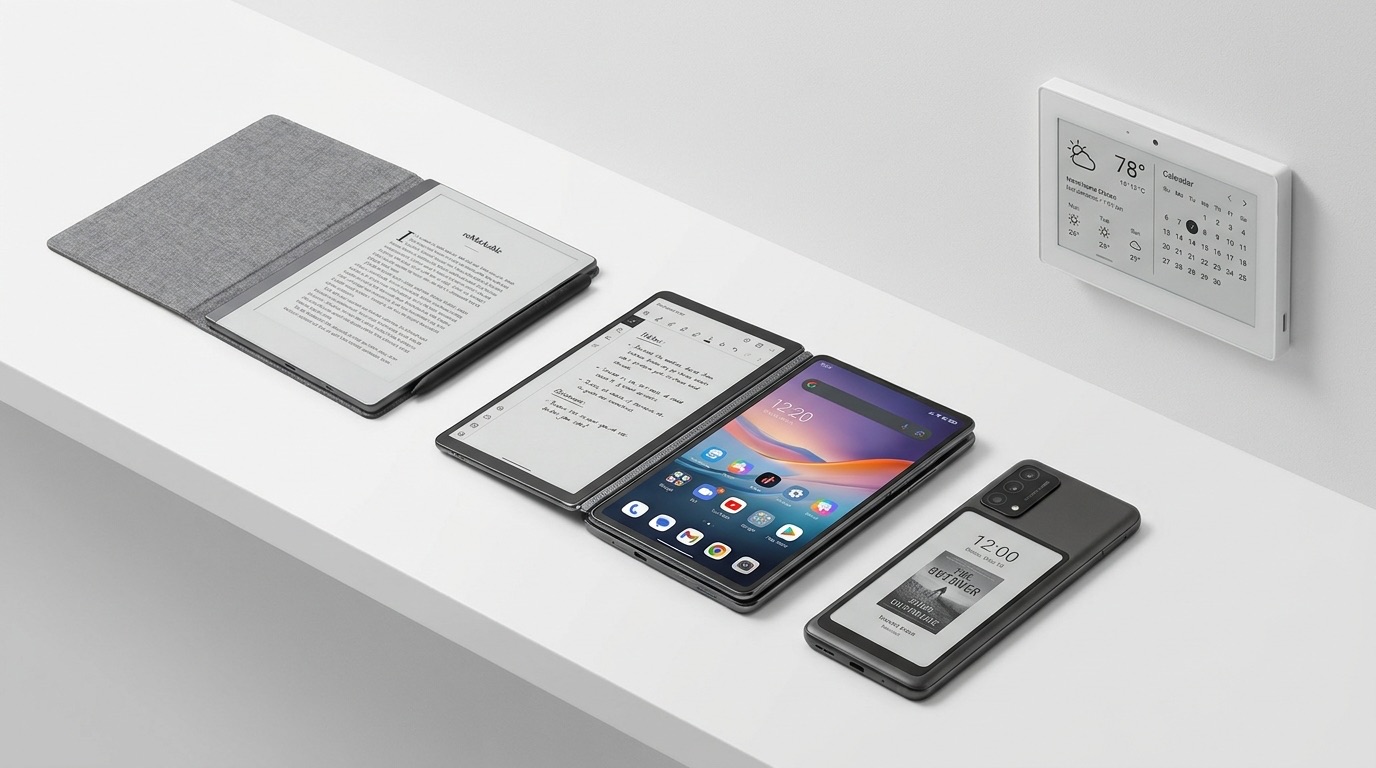
E-ink displays have always had the right properties for more than just reading books. Near-zero power draw when static, perfect readability in direct sunlight, zero flicker, and no blue-light-heavy backlight. The problem for years was speed and color: early E-ink panels refreshed in 600–800 milliseconds with a distracting full-screen flash, and color versions looked like washed-out newspaper photos. That equation has shifted. In 2025–2026, a new generation of faster, color-capable E-ink panels has broken out of the e-reader niche and into phones, laptops, outdoor tablets, and smart home displays in ways that are actually practical.
What Changed: Faster Refresh and Color
The critical upgrade is E Ink Corporation's Gallery 3 platform, the current state-of-the-art for color E-ink. Gallery 3 supports 4,096 colors versus the muddy palette of earlier Kaleido panels, which topped out at around 4,096 colors on paper but delivered noticeably washed-out saturation in real use. Gallery 3 improves both saturation and contrast to the point where color images are genuinely readable — not OLED-vivid, but usable for maps, covers, charts, and UI elements.
Refresh rates have also improved substantially. Top-tier E-ink panels now achieve full refresh in 1–4 Hz range for complete image updates, and 10+ Hz for partial refresh — where only the changed portion of the screen redraws. That partial-refresh capability is what makes E-ink viable for UI navigation. Scrolling a menu, tapping a button, switching an app: these feel slightly slower than a 60Hz LCD but fast enough that they don't break workflow. The key benchmark is whether latency exceeds user annoyance threshold — and for mostly-static content, current E-ink panels now stay below it.
The net result: color E-ink is no longer embarrassing, and fast E-ink is no longer rare. Both conditions needed to be true before manufacturers would take the risk of building products around the technology.
The Phone Secondary Screen
The clearest proof of concept for E-ink outside the e-reader is the phone secondary screen. Notifications, clock, weather, and quick-glance information don't need a full OLED panel. They need something readable in sunlight that doesn't drain the battery.
Hisense's Hi Reader Pro is a full Android phone built around a 6.7-inch E-ink display as its primary screen. It targets readers and note-takers who want a phone that doubles as an e-reader without carrying two devices. Xiaomi has shown dual-screen concept phones with an E-ink rear panel that handles notifications and lock-screen information while the OLED front panel sleeps. Motorola's Rizr concept — a rollable phone with an E-ink exterior strip — demonstrated that E-ink can serve as an ambient information surface on a conventional smartphone form factor.
The battery math is compelling. An OLED secondary screen checking notifications continuously consumes 15–20% of daily battery life in typical use. An E-ink panel doing the same job consumes under 5%, representing 60–70% power savings for that specific task. The OnePlus Watch 3 applied the same logic to wearables: its always-on display uses an E-ink layer to show time and basic metrics without measurable battery drain, while the main AMOLED activates on wrist raise.
E-Ink Laptops Beyond the Dasung External Monitor
Dasung's external E-ink monitors have existed for years as niche productivity tools — large 25-inch E-ink panels that connect to any computer and serve as a secondary display for document work and coding. They work, but they're expensive ($800–$1,400) and require a separate desktop or laptop to drive them.
The more interesting development is E-ink built into laptops and tablets as a primary computing surface. The BOOX Tab Ultra C Pro is the clearest current example: a 10.3-inch Android tablet built on Gallery 3 color E-ink, running full Android 13 with access to Google Play, capable of handling productivity apps, note-taking with a stylus, and document review. Battery life reaches 7 days in typical use. Weight is 480 grams. It's a legitimate laptop replacement for anyone whose work is document-heavy and who spends time outdoors or in brightly lit environments.
Lenovo pushed the concept further with the ThinkBook Plus Gen 6. Its lid is a dual-display structure: the outside of the lid is a Micro LED + E-ink combination surface, while the inside is an OLED screen for normal laptop use. When the laptop is closed, the E-ink lid shows meeting schedules, task lists, notes, or presentation slides — readable in a conference room or outdoor meeting without opening the laptop. When you need full performance, you open it to the OLED. The use case is narrow but real: business travelers who want to review documents in transit without waking the system, or anyone who wants ambient information visible while the laptop is docked and closed.
Outdoor and Industrial Use Cases
The original practical case for E-ink — sunlight readability — remains its strongest argument in field environments. LCD and OLED screens become nearly unreadable at 1,000+ lux, which is typical outdoor daylight. E-ink reflects ambient light and remains readable at 10,000+ lux with no backlight required.
This matters for construction site tablets, agricultural management devices, military field equipment, and logistics terminals. A ruggedized E-ink tablet running for 3–7 days on a single charge, readable in full sun, is operationally superior to an LCD device that needs daily charging and shade to use. Several manufacturers now produce IP67-rated E-ink tablets for field deployment, though this remains a specialized market without dominant consumer brands.
In the premium consumer segment, reMarkable 2 has proven that a focused E-ink product with a clear use case — handwritten notes, document annotation, distraction-free reading — can build a loyal audience. Its 13.3-inch display at 226 PPI with a near-paper texture stylus surface is the benchmark for writing feel in the category. Onyx BOOX Max Lumi 2 takes the size further: a 13.3-inch E-ink display designed to sit on a desk as a secondary monitor, driven by USB-C from any computer, large enough for full document pages at actual size.
Smart Home Panels
Smart home displays present a near-perfect E-ink application: a panel that shows calendar events, weather, room temperature, task lists, or door camera snapshots, visible at a glance from across the room, mounted on a wall or counter, running on battery or a thin USB cable, with no screen burn-in and no power draw between updates.
Commercial options now exist at multiple price points. Visionect's Place & Play platform is an enterprise-grade E-ink display system used for office room booking panels and building directories — always-on, low-power, networked. Gulfstream panels offer similar functionality aimed at building management and retail signage. Both systems refresh content over Wi-Fi and run for weeks on battery.
At the DIY end, ESPHome combined with Waveshare E-ink panels has become a standard approach for home automation enthusiasts. An ESP32 microcontroller paired with a 7.5-inch Waveshare E-ink display can show a Home Assistant dashboard — weather, calendar, sensor readings — refreshing every 5–15 minutes while consuming under 50 milliwatts of average power. Total hardware cost: under $40. Several open-source projects (MagInkCal, InkyCal, einkBB) provide ready-to-run firmware for these setups, reducing the build to assembly rather than programming.
The always-on aspect is the critical advantage over tablets repurposed as home panels. A wall-mounted iPad running a dashboard consumes 10–15 watts continuously. An E-ink panel refreshing every 10 minutes consumes under 0.1 watts. Over a year, that's the difference between 130 kWh and 0.9 kWh.
The Refresh Rate Wall
E-ink's limitations are real and worth stating plainly. Video is not possible — even 10 Hz partial refresh produces visible ghosting and stuttering that makes any motion content unwatchable. Full-color E-ink (Gallery 3) remains noticeably less saturated than even a budget LCD, and dark-themed interfaces look muddy because E-ink's dark state is dark gray, not true black on color panels. Anything designed for a 60Hz display — games, video playback, smooth scrolling feeds — feels wrong on E-ink.
App compatibility is an ongoing issue on Android E-ink devices. Apps built for OLED or LCD assume smooth animation and high refresh rates. Social media feeds, browser-based apps with heavy JavaScript animations, and anything with persistent motion feel sluggish and occasionally produce ghosting artifacts. BOOX and other Android E-ink manufacturers ship custom launchers and optimization layers that help, but it's a constant mitigation rather than a solution.
E-ink is not a replacement for LCD or OLED in general-purpose devices. It's a specialized tool that excels under specific conditions: mostly static content, outdoor readability requirements, extreme battery life priorities, or always-on ambient display needs.
The shift in 2025–2026 is that those specific conditions now apply to a much wider range of products. If your device needs to show mostly static content, remain readable in sunlight, or run for days without charging, there is now a practical, commercially available E-ink option for it. That wasn't true three years ago. It is now.