Wi-Fi 7 in the Real World: What 46 Gbps Actually Means for Your Home Network
Every Wi-Fi generation arrives with headline numbers that sound transformative and real-world performance that falls well short. Wi-Fi 6 promised 9.6 Gbps; most users never saw above 1 Gbps on consumer hardware. Wi-Fi 6E added a 6 GHz band that very few client devices used. So when Wi-Fi 7 launched with a theoretical maximum of 46 Gbps, the appropriate response was scepticism. Two years of actual deployment data have now arrived, and the story is more nuanced — and more genuinely useful — than the spec sheet suggested.
What Wi-Fi 7 actually changed
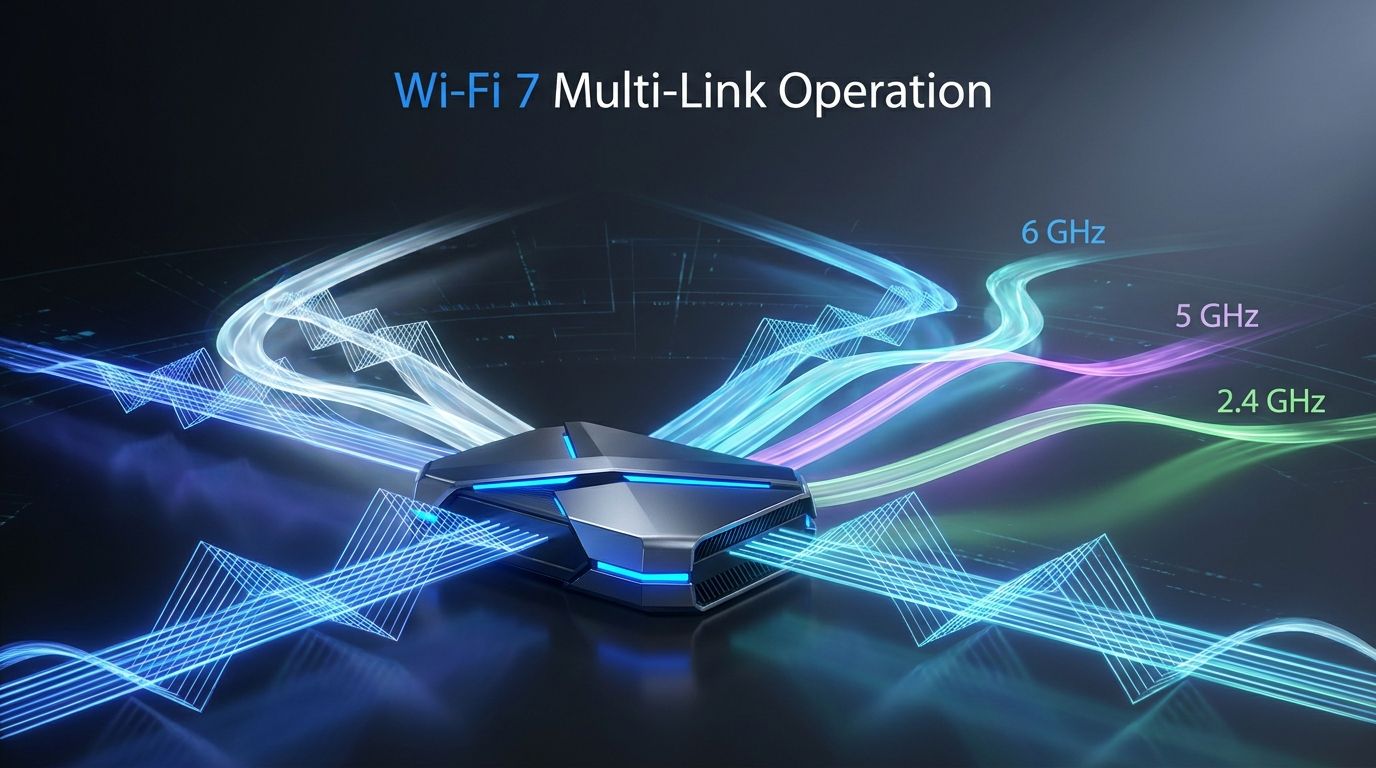
Wi-Fi 7 (IEEE 802.11be) introduced several improvements over 6E, but one stands out as architecturally different from anything that came before: Multi-Link Operation, or MLO. Prior Wi-Fi generations assigned each client device to a single frequency band — 2.4 GHz, 5 GHz, or 6 GHz — and stuck with it for a connection session. Wi-Fi 7 allows a device and router to maintain simultaneous connections across multiple bands at once and intelligently split traffic between them.
The practical benefit of MLO is not raw speed — it is latency and reliability. A device connected to both the 5 GHz and 6 GHz bands simultaneously can send latency-sensitive traffic (video calls, gaming packets) down whichever path is cleanest at that moment, and shift bulk transfers (file downloads, backups) to whichever band has more capacity. Measured in real-world conditions, MLO-capable devices connected to MLO routers show 40–60% lower peak latency compared to single-link Wi-Fi 6E connections under the same household traffic load.
Wi-Fi 7 also expanded channel widths to 320 MHz (up from 160 MHz in 6E) and upgraded the modulation to 4096-QAM (4K-QAM), up from 1024-QAM in Wi-Fi 6/6E. Both contribute to the headline 46 Gbps figure, but both require ideal RF conditions that almost no home environment provides. In practice, the 320 MHz channels are rarely usable outside of controlled testing scenarios because most residential deployments have too much interference to sustain them.
Real-world speeds: what you should actually expect
Independent testing from Tom's Hardware, SmallNetBuilder, and AnandTech across 2024 and 2025 paints a consistent picture. At short range (same room as the router), a high-end Wi-Fi 7 router paired with a Wi-Fi 7 client laptop delivers around 4 to 6 Gbps on the 6 GHz band with 320 MHz channels under ideal conditions. At the range more typical of a home — one to two walls, 8 to 15 metres — speeds settle in the 1.5 to 2.5 Gbps range. Across a typical two-storey house, you're more often seeing 800 Mbps to 1.5 Gbps.
These numbers are still faster than Wi-Fi 6E at comparable ranges. But the difference is not as large as the spec sheet implies, and it only matters if you have an internet connection or NAS that can actually saturate a Wi-Fi 6E connection — which, for most users with a 1 Gbps home internet service, you do not.
Where Wi-Fi 7 consistently wins on real-world benchmarks is latency under load. MLO's ability to balance traffic across bands keeps round-trip times stable when multiple devices are active simultaneously — the scenario that most realistically describes a household in 2026 with 30 to 50+ connected devices.
Which devices support it
Wi-Fi 7 support on the client side has expanded substantially since launch. As of mid-2026, the major laptops with Wi-Fi 7 built in include the Apple MacBook Pro (M3 Pro/Max and later, all M4 models), most Intel Core Ultra 200H/200U laptops, Qualcomm Snapdragon X Elite and X Plus laptops, and AMD Ryzen AI 300 series machines. On mobile, Android flagships from Samsung, Google, and OnePlus have shipped with Wi-Fi 7 since late 2024; Apple's iPhone 16 series added it in 2024 as well.
On the router side, the market has matured from early premium-only pricing to a broader range. In mid-2026, a capable Wi-Fi 7 tri-band router (2.4 + 5 + 6 GHz with MLO) from ASUS, TP-Link, or Netgear can be found in the $200–$350 range for home use. Mesh systems with Wi-Fi 7 backhaul from Eero, Orbi, and Deco start around $350 for a two-node setup.
Should you upgrade from Wi-Fi 6E?
The honest answer depends on what you're actually experiencing. If your Wi-Fi 6E network is delivering reliable performance and you're not running a home lab, serving 4K video from a local NAS, or working with a multi-gigabit internet connection, the upgrade will not produce a meaningful quality-of-life improvement in daily use.
The case for upgrading is stronger if you: regularly experience congestion when multiple household members are simultaneously on video calls and streaming; have a 2.5 Gbps or faster internet connection; are building a home network from scratch or replacing aging hardware; or are running latency-sensitive applications like competitive gaming or AR/VR workloads.
If you're on Wi-Fi 5 or Wi-Fi 6 (not 6E), the upgrade case is considerably cleaner — you'll see meaningful improvements in both speed and latency.
The longer view
Wi-Fi 7 is the right foundation for the next several years of connected home infrastructure. The 6 GHz band remains largely uncongested in most residential environments, MLO is a genuine architectural improvement, and the hardware ecosystem has matured to the point where the technology is reliable rather than experimental. Whether you upgrade today or wait for the next hardware refresh cycle is a pragmatic question about your current setup, not a question about whether Wi-Fi 7 is worth having.